
D4R::Horizon
D4R Horizon Software Suite provides a collection of powerful and versatile graphical tools that simplify and boost several processes and operations related to the railway signalling systems modeling.
Main Features
D4R Horizon tools can manage phases such as:

Target Users
The D4R::Horizon Framework is designed to support:
- – the Railway Application Engineers during both the descending (design) and ascending (verification) phases of the EN50126 V-cycle(*), by allowing the reuse of the design and configuration task effort as a starting point for simulation and verification purposes
- – the Signalling Project Engineers in trackside data preparation for IXL and ERTMS systems, by simplifying the railway infrastructure planning process automating the tedious and time-consuming operations of producing consistent railway drawings and objects attributes
- – the Railway Dispatchers and Operators in monitoring and controlling train operations and in handling route, transport and traffic management tasks, by providing a clear overview of all transport control systems processes
(*) T3 certification according to EN50128:2011 foreseen on product roadmap
Components
The main components of the D4R::Horizon domain are:
Track Planner
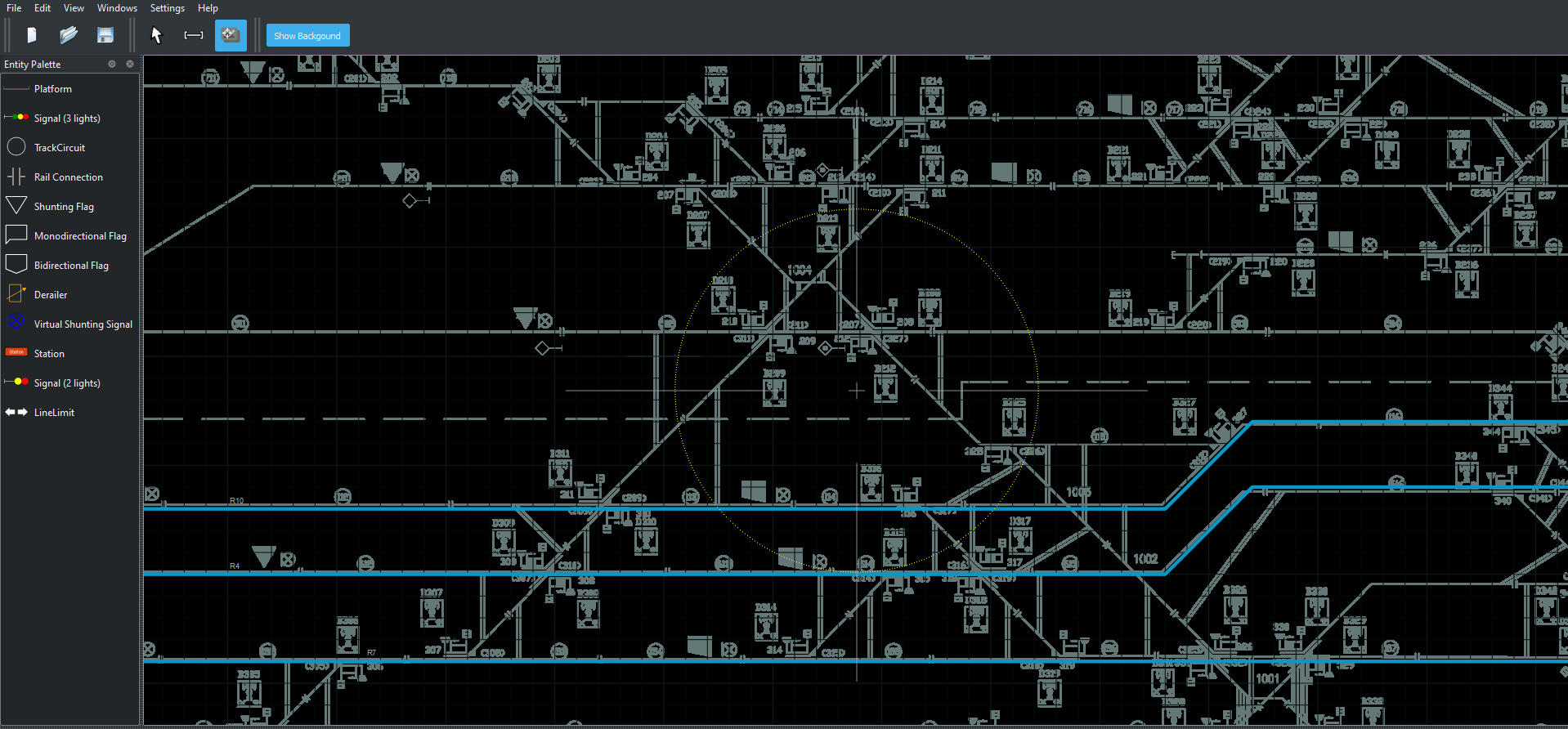
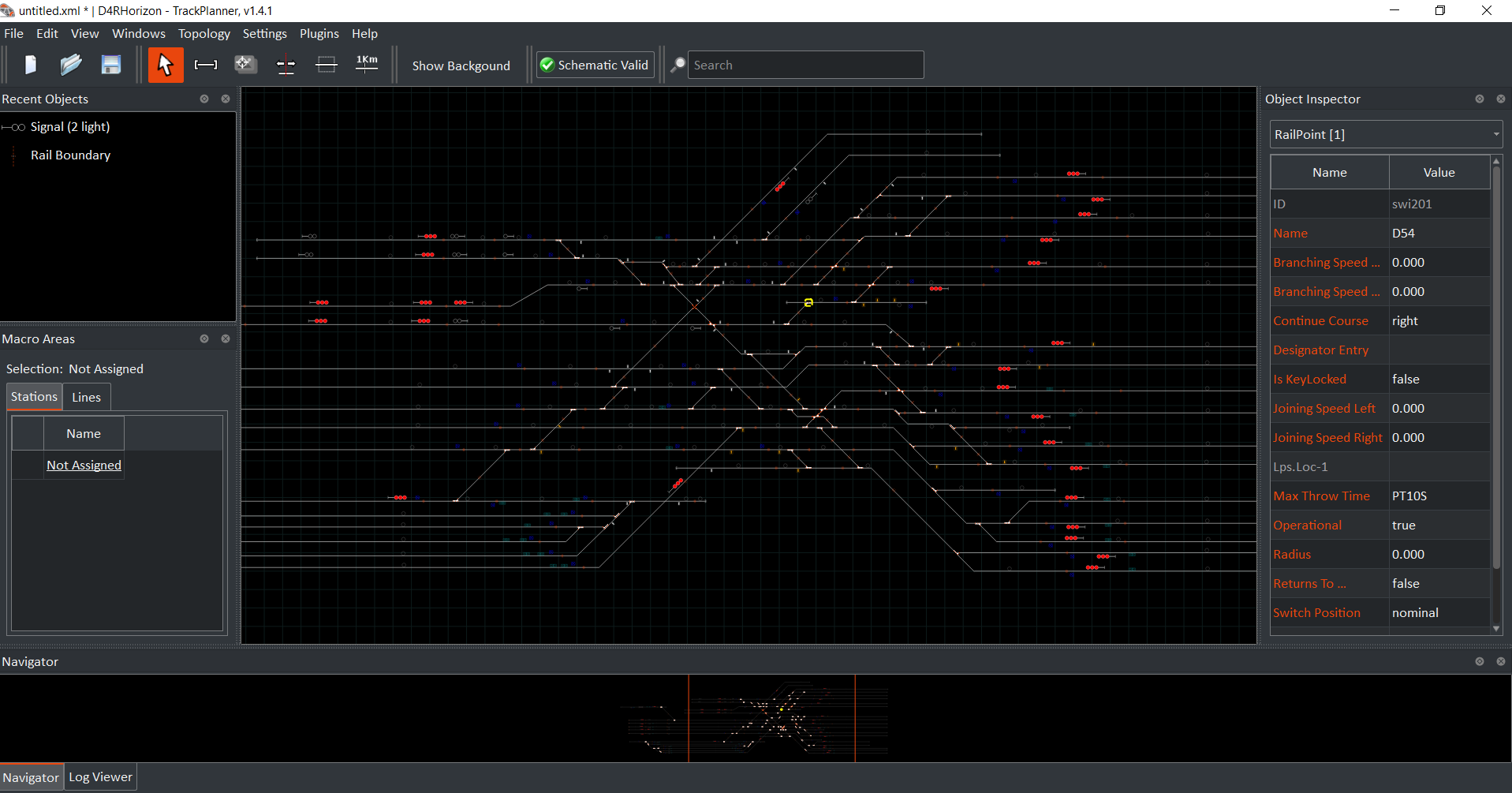
The Track Planner (TP) is an OS-independent software tool that allows the user to draw, equip and visualize railway track plans. TP thus simplifies the railway infrastructure planning process by automating the tedious and time-consuming operations of producing consistent railway drawings and objects attributes, avoiding the technicalities of a general-purpose CAD tool.
Key Features
With just a few clicks, it is possible to:
- – import a blueprint of an existing track-plan to be visualized as a background in the graphical board
- – design a consistent, error-free, schematic track plan. Thanks to smart topological constraints and automatic object connections, design errors are effectively minimized during the project modelling and review phases.
- – manage very large railway networks, with a smart management of stations and lines and a schematic plan navigator
- – equip the track plan with the all the railway objects, both default or custom designed
- – easily set, visualize and check all the objects properties
- – export the track plan and all its properties in different formats (e.g. railML®, PDF, CSV, etc.)
- – configure the mapping between the railway objects’s relays (I/Os) and the cabinets they ae physically connected to, with a simple drag-drop mechanism
- – define and visualize different kinds of paths (e.g. itineraries, routing routes), together with their overlap, flanks and additional properties, thus allowing an automatic management of the Table of Controls
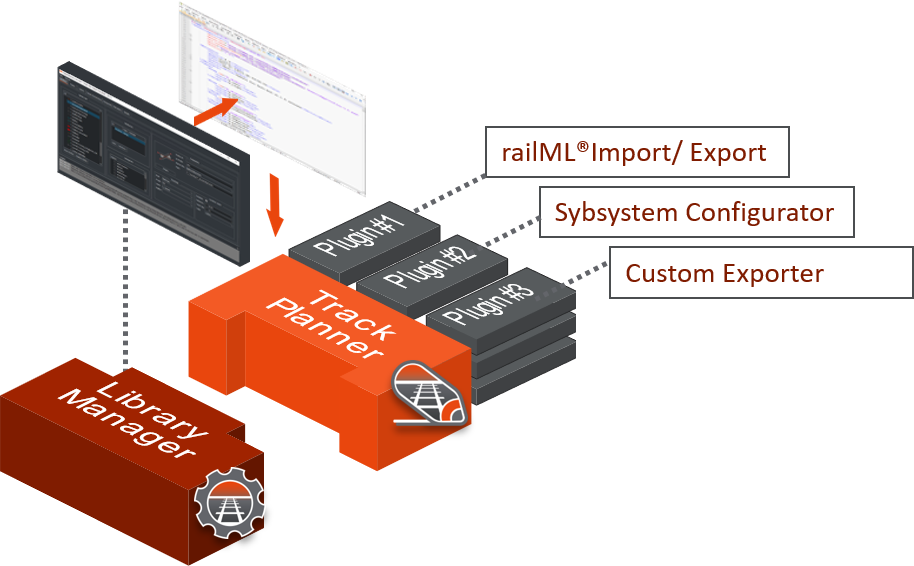
- – expand the core functionalities of the Track-Planner with a specific SDK that allows the user to create and customize its own plugin that will be loaded and executed within the TP (e.g. a plugin to export a signalling application configuration file)
Expanding TP funcionalities
Track Planner has a modular architecture that enables the deployment of targeted solutions completely customizable according to the user’s needs. It leverages on a variety of software components and plug-ins (general purpose or custom) that can be added to the main modules to extend their functionalities.
The powerful Track-Planner SDK allows the user to develop and customize its own plugin that will be loaded and executed within the TP. As an example, starting from the layout designed in the TrackPlanner, is possible to:
- – Create a dedicated plugin to handle data preparation through a dedicated export, making use of straightforward GUIs and configurable algorithms
- – Automatically generate an application configuration files (custom output) using the input provided through
the GUI - – Produce a report for verification purposes

Interoperability
TP is interoperable thanks to the railML® standard ( see https://www.railml.org/en/) for which it has been certified by railML.org for the export interface 3.1.
Other interchange or proprietary formats can be implemented through specific plugins.
Please note that railML® 3.1 export shall only be used in accordance with the license terms (see https://www.railml.org/en/user/licence.html for more details).
Library Manager
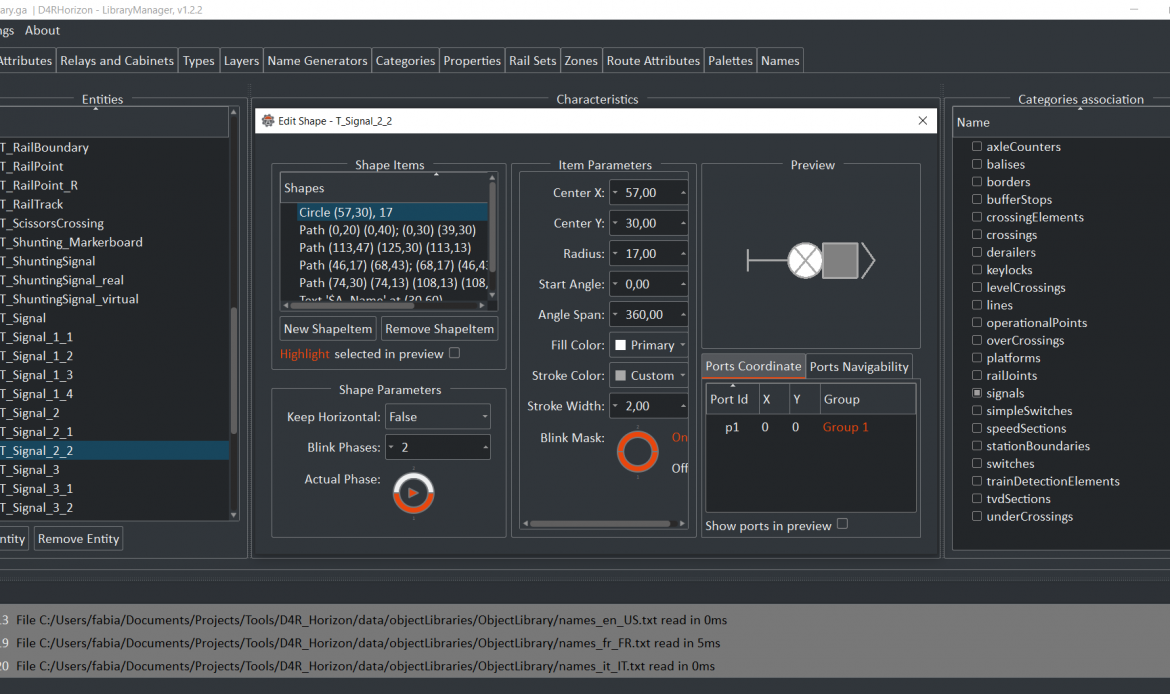
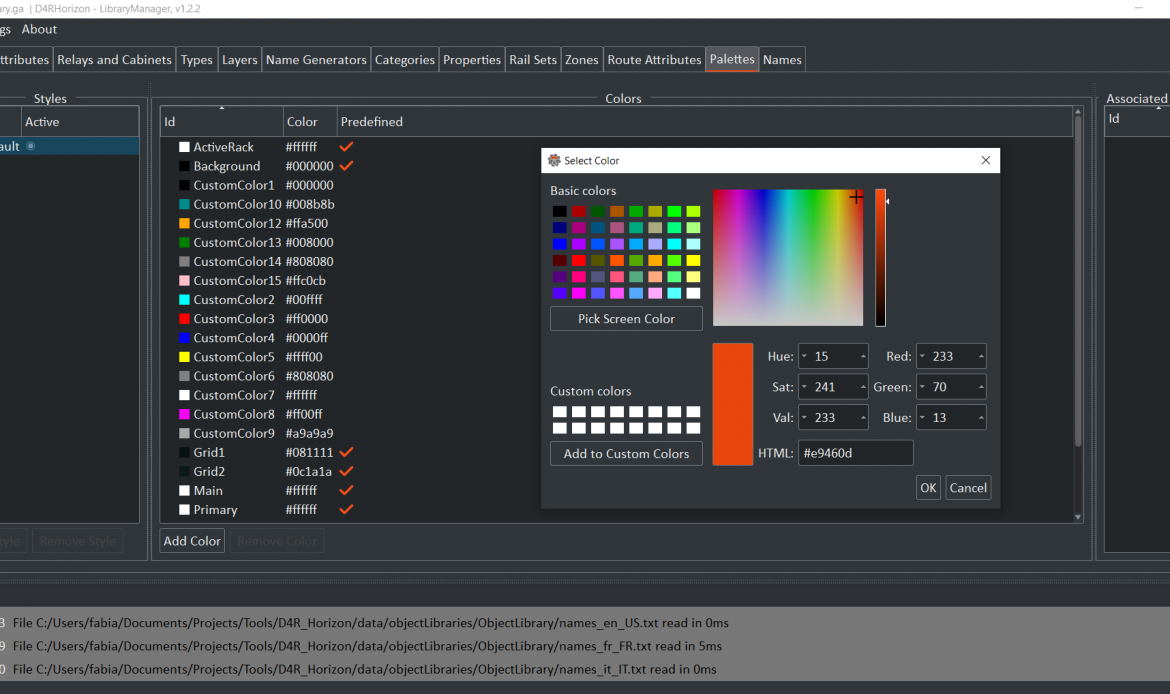
The Library Manager (LM) is an OS-independent ancillary tool of the TrackPlanner (TP). It provides the user with an easy to use GUI allowing to view, generate and edit the TP Object Library configuration file with a few clicks.
Key Features
Using the LM, the user is able to:
- – create railway objects, each with its own properties, attributes and graphical representation
- – categorize objects into sets, categories and layers for export and visualization purposes
- – configure different kinds of paths with their overlaps, flanks and additional properties to be visualized into the TP
- – define different kinds of areas and zones (e.g. emergency zones, shunting areas)
- – customize cabinets and relays, specifying the properties of the cabinets (number of racks, boards and pins) and relays
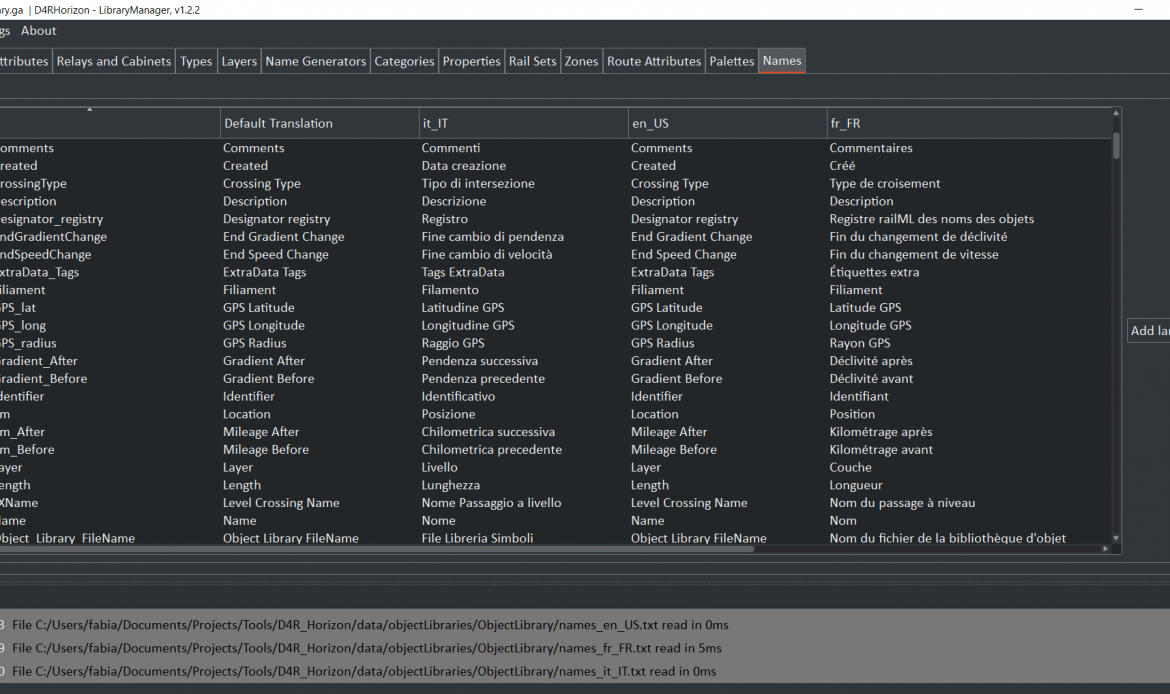
- – manage the translations of all the names into different languages
Smart Viewer
Key Features
Once the application has been configured, it is possible to perform run-time simulations to test the system.
The designer can reuse the design task effort for simulation purposes: the same track layout can be uploaded in a dedicated web-GUI that shows runtime the field-element status change in the track layout
I am text block. Click edit button to change this text. Lorem ipsum dolor sit amet, consectetur adipiscing elit. Ut elit tellus, luctus nec ullamcorper mattis, pulvinar dapibus leo.